VICIdial listen, whisper and barge from the live floor
Monitor a live call in VICIdial: listen silently, whisper to the agent or barge in, from a right-click on the floor. Four steps, with the settings each needs.

To the point
To monitor an agent in VICIdial you pick a mode, give a phone, and VICIdial rings that phone into the agent's call. In the Trustane console that is a right-click on the Floor:
- Choose the phone you listen from, once.
- Right-click an agent who is on a call.
- Pick Listen, Whisper or Barge.
- Answer your phone. You are in the call.
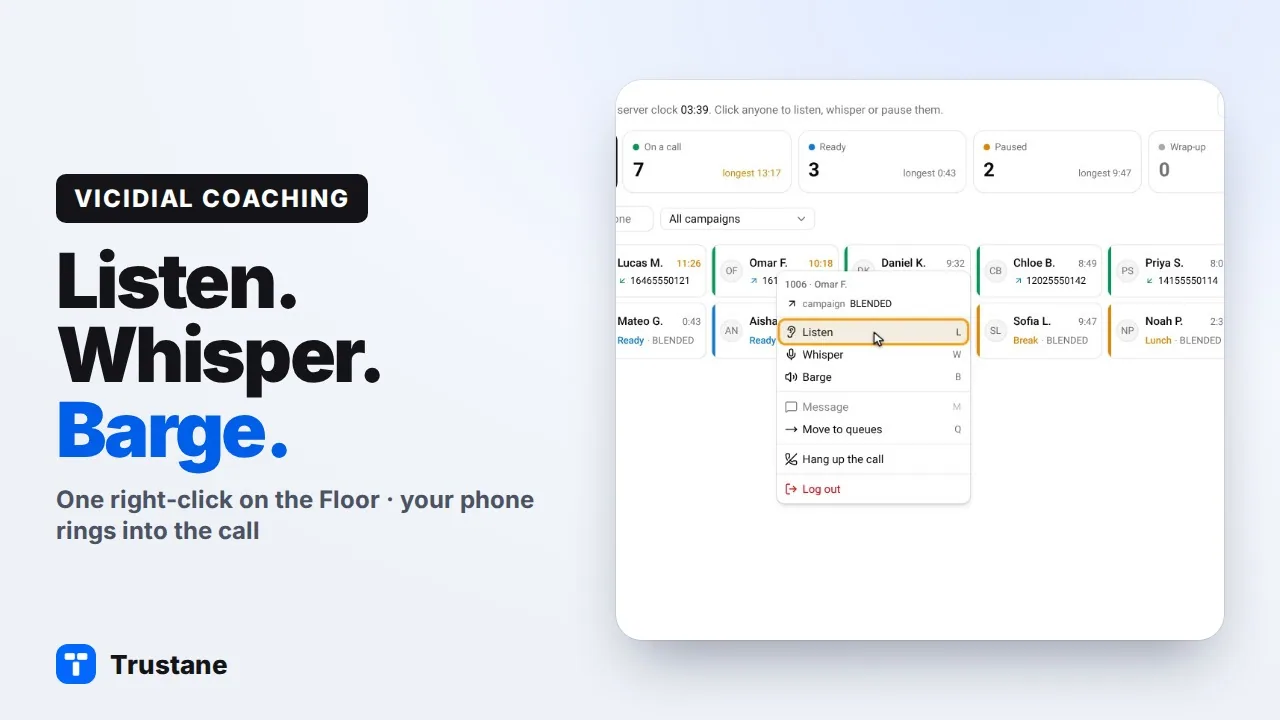
Plays from YouTube when you press Play. Google's privacy policy applies.
The pictures come from our demo account. Its names and phone numbers are made up.
Before you use these tools, tell your agents their calls can be monitored, and tell callers at the start of the call that it may be monitored or recorded. Some places require notice or consent, so check the rules where you and your callers are.
The three modes
| Mode | Who hears you | Use it to |
|---|---|---|
| Listen | Nobody | Hear how a call is going |
| Whisper | The agent only | Prompt an agent during the call |
| Barge | The agent and the customer | Join the call and speak to both |
All three are VICIdial's own monitoring, started through its API. How agent monitoring works in VICIdial has the detail.
1. Choose the phone you listen from
Monitoring is a phone call: the server rings a phone and joins it to the agent's call. So it needs to know which phone is yours.
On the Floor, press Phone in the title row and pick a phone under Listen from. It must be an active phone on that server: a desk phone, a softphone, or a phone entry that points at your mobile.
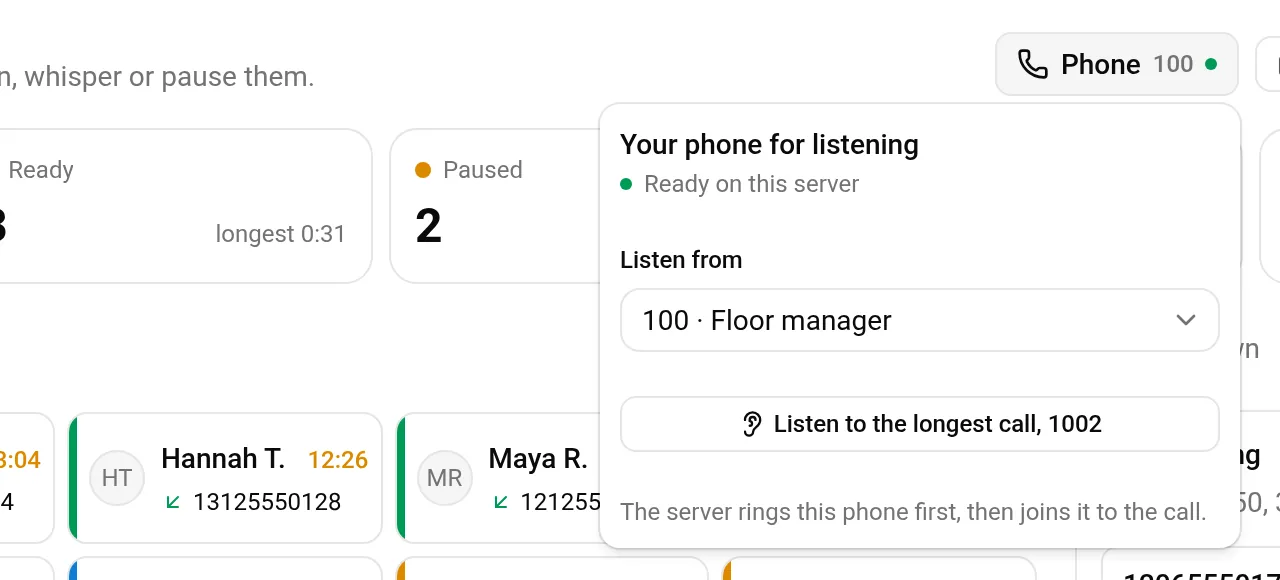
The choice is kept for you on that server, so you do this once.
2. Right-click an agent who is on a call
The Floor shows everyone signed in. Right-click a person who is on a call. The first three choices are Listen, Whisper and Barge.
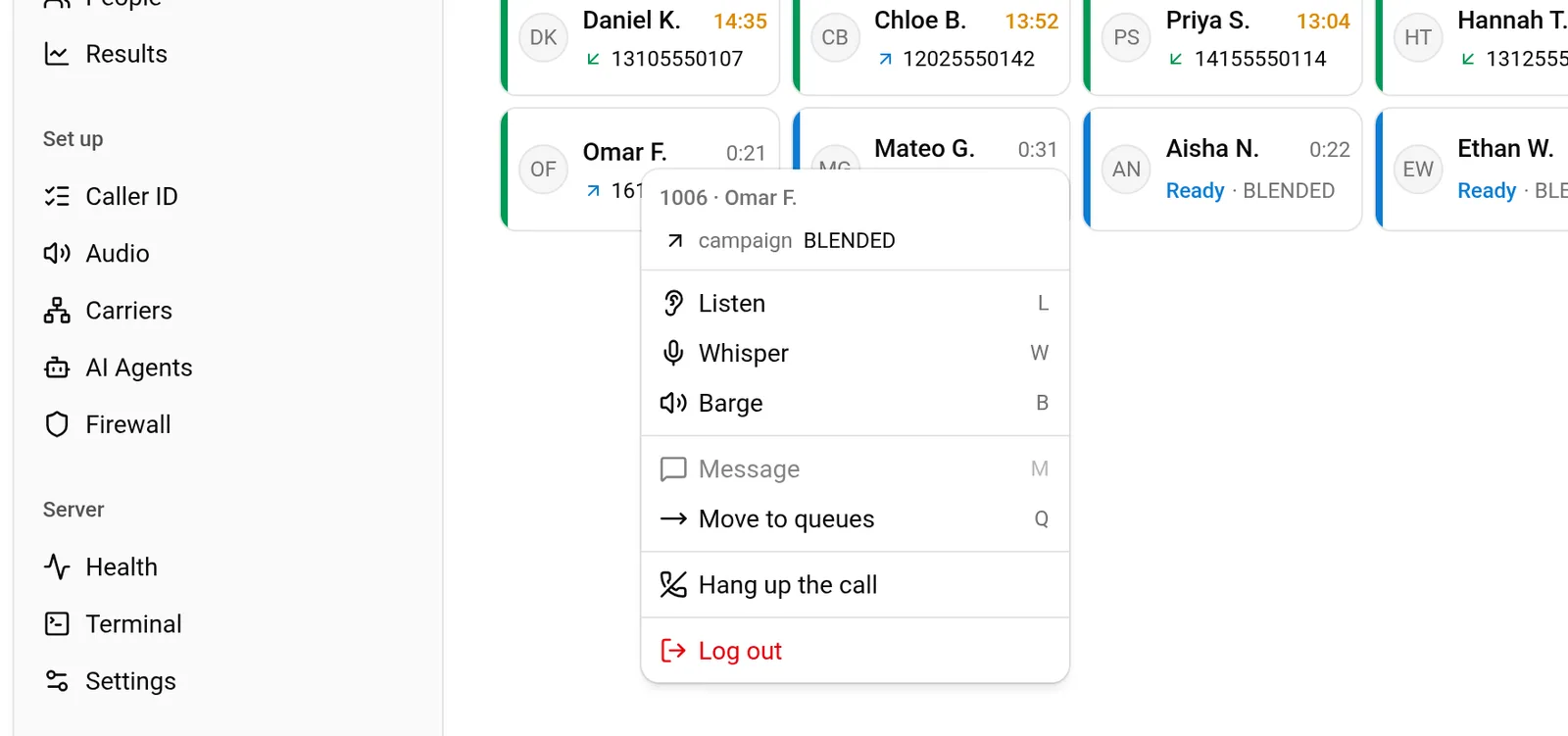
The same menu is on the wallboard, so you can do this from a wall screen as well.
3. Pick Listen, Whisper or Barge
Listen. Your phone joins muted and silently, so neither the agent nor the customer hears anything. Press Listen to confirm. The console then names the phone that is ringing, here phone 100, and tells you to answer it.
Whisper. Only the agent hears you. VICIdial allows whisper only when its system setting Enable Agent Whisper Monitoring is on, and it ships off. If it is off, VICIdial's API answers a whisper request with a plain listen and still reports success. The console refuses instead, and names the setting, so you never speak thinking only the agent hears you.
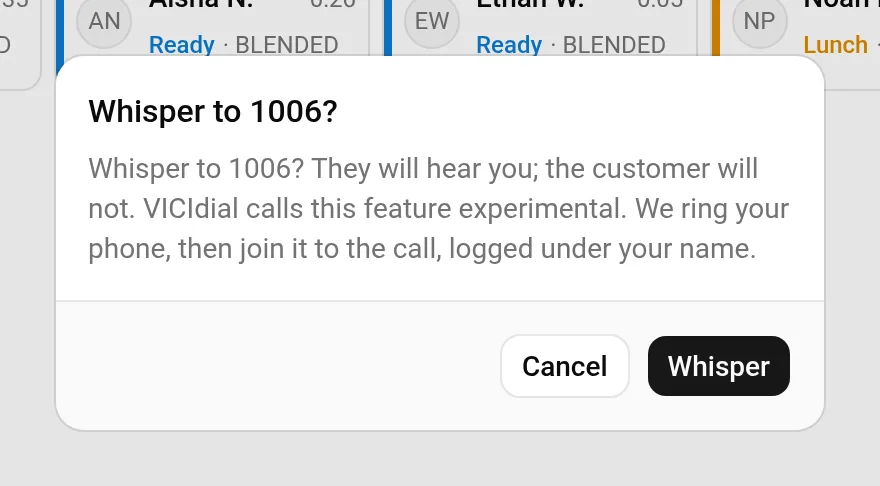
Barge. You join the call as a speaker and both sides hear you, so the console always asks first. The button reads Join. On a server that uses ConfBridge, the people on the call may also hear an entry tone as you join.
In the console, whisper and barge are offered only while the agent is on a call.
4. Answer your phone
Your phone rings. Answer it and you are in the agent's session, in the mode you picked. Hang up to leave.
What the console checks first
Before it rings your phone, the console checks, on the server:
- The agent is signed in once, and their session checked in within the last 60 seconds.
- For whisper and barge, the agent is on a call.
- Your phone still exists on the server and is active.
- Whether the agent's campaign is set to play a monitoring announcement into the call. If it is, the console tells you the customer will hear it, and asks.
After VICIdial accepts the request, the console reads back which agent VICIdial recorded for the session. If it is not the agent you clicked, the console cancels the call before the server sends it. If the server has already sent it, the console says so and tells you not to answer.
VICIdial writes each request to its own monitoring log, and the console writes it to your account's audit log under your sign-in.
What the server needs
- An active API user with Agent API Access set to 1 and a user level of 7 or higher.
- Agent API Active switched on in VICIdial's system settings. VICIdial itself does not need it for monitoring; the console does, and checks it before it offers monitoring.
- For whisper, Enable Agent Whisper Monitoring.
If one is missing, the three choices are greyed in the menu.
Next steps
- How agent monitoring works in VICIdial: the modes, the settings and the same steps in VICIdial's admin.
- A wallboard your floor can read.
- Order a server and try it free for 7 days.
VICIdial is a trademark of its owner. Trustane is an independent hosting provider.
Sources
- Trustane console, the agent's menu on the Floor
- Trustane console, the phone you listen from
- How a listen, whisper or barge is started and checked
- The wording of each confirmation
- VICIdial SVN r4038, the blind_monitor API function
- VICIdial behaviour checked line by line, 14 November 2026
Managed VICIdial hosting