VICIdial migration checklist: before, during and after the move
A VICIdial migration checklist: what to check before the move, what to watch while it runs, and the carrier, phone and number changes to make after.

To the point
A VICIdial migration is three jobs: copy the data, prove the copy, and repoint everything that still aims at the old server. This checklist covers all three.
- Before: a destination at the same database schema or newer, enough free disk, SSH access, and a quiet floor.
- During: let it run, and watch the stage.
- After: read the counts, add your carriers again, point numbers and phones at the new address, and keep the old server until you are sure.
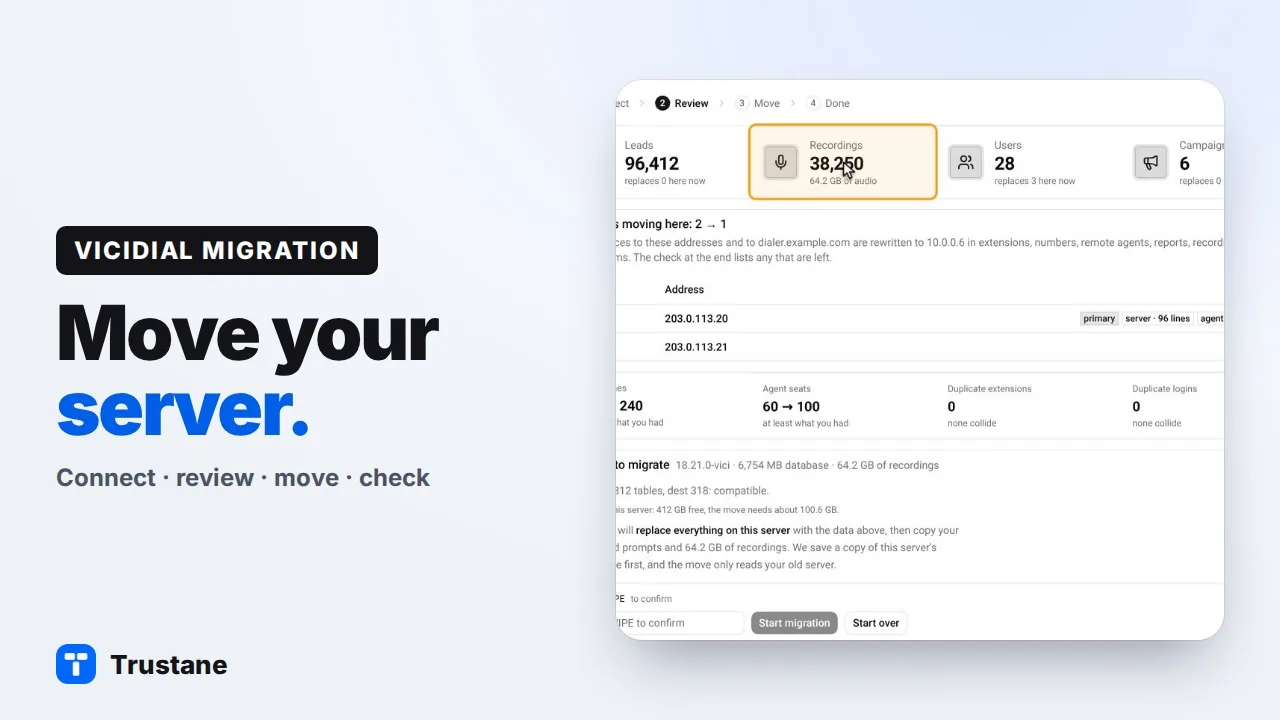
Plays from YouTube when you press Play. Google's privacy policy applies.
The pictures come from our demo account, and the moves in them are demo data. This list follows the order our own move tool works in. The steps apply to any VICIdial move, whoever runs it. Where the Trustane console does a step for you, the list says so.
Before the move
1. Check the database schema on both servers
A move imports data into the tables the new server already has. The new server's schema must be the same as the old one's, or newer. If the old server is newer, columns the new server does not have would be lost, so upgrade the new server first. What a VICIdial move copies explains the version numbers.
The console compares the two servers table by table and column by column before it copies anything.
2. Check free disk on the new server
The new server holds the compressed copy and the imported tables at the same time, and then the recordings. The console asks for about twice the database size plus the recordings, with 30 percent on top. If the new server has less, the move does not start.
3. Open SSH from two addresses
The tool that runs the move must reach the old server over SSH. If you bring recordings, the new server must reach it too, because recordings are copied directly from the old server to the new one.
4. Decide what stays behind
The settings travel in every move: your campaigns and in-groups, the people and their phones, your numbers, menus, scripts and statuses. Four other groups are yours to bring or leave.
- Leads and lists. Without them the new server opens with no lists at all.
- Do-not-call lists. Without them the dialer no longer skips those numbers.
- Call history and reports. Without them, reports on the new server begin on moving day.
- Call recordings. Without them, earlier recordings can be played from the old server only.
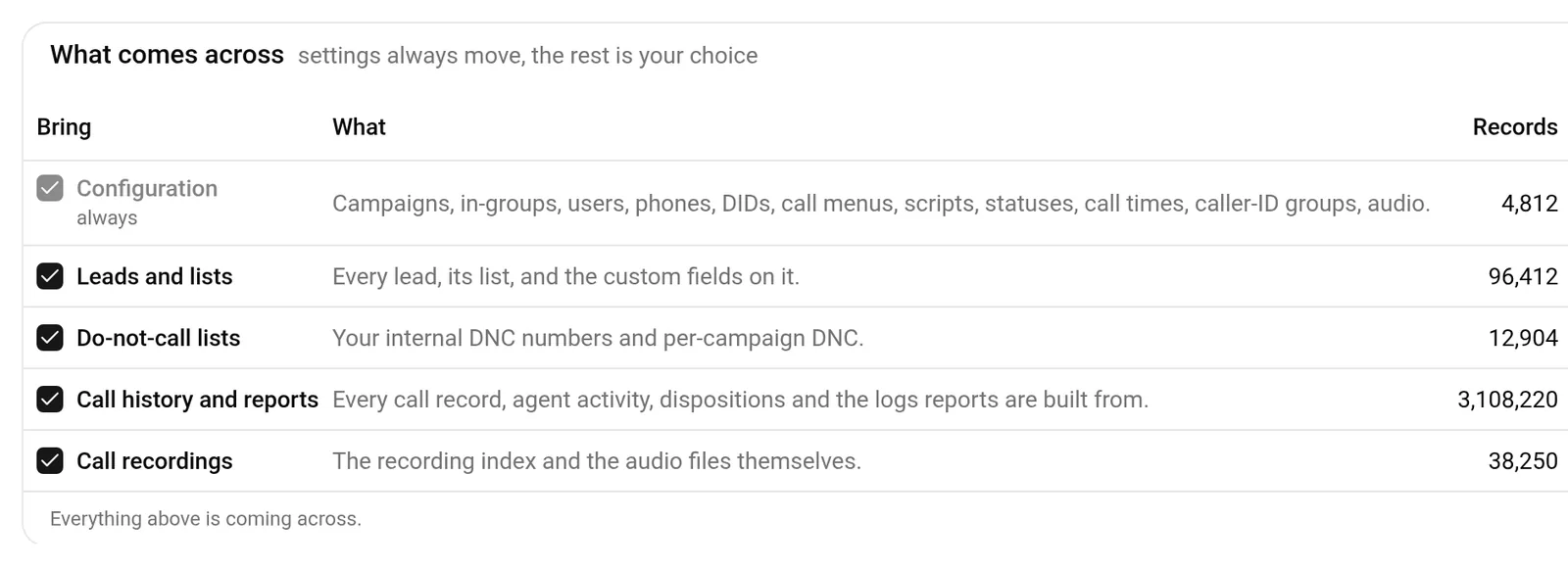
Bring the do-not-call lists. They are small, and leaving them behind undoes every request you have recorded.
5. Pick a quiet time and stop the floor
A copy taken while agents are on calls misses whatever happens after it starts. Move between shifts, with nobody logged in. How to tell a VICIdial server is idle covers what to look at.
In the console, the review screen lists who is logged in on the old server and which campaigns are active. It can log the agents out, switch the campaigns off and stop broadcast lines for you. That changes your live server, so you type STOP to confirm.
6. Make sure nobody is on the new server
A move replaces the data on the new server. The console refuses to start while any agent is logged in there.
During the move
7. Watch the stage, not the clock
The console works through a fixed order. It checks both servers, reads the old database, imports it, copies your prompts, copies your recordings, and then verifies the result.
Prompts are copied before recordings on purpose. They are small, and without them call menus and hold messages have nothing to play. Recordings take longest and are the one stage the screen measures: files and gigabytes copied so far.
Closing the page does not stop it.
8. If it stops
A stopped recordings copy can be resumed, and it continues from where it stopped. If an earlier stage fails, the new server still holds the copy of its database saved before the move, and the move has not changed the old server's data.
After the move
9. Read the counts
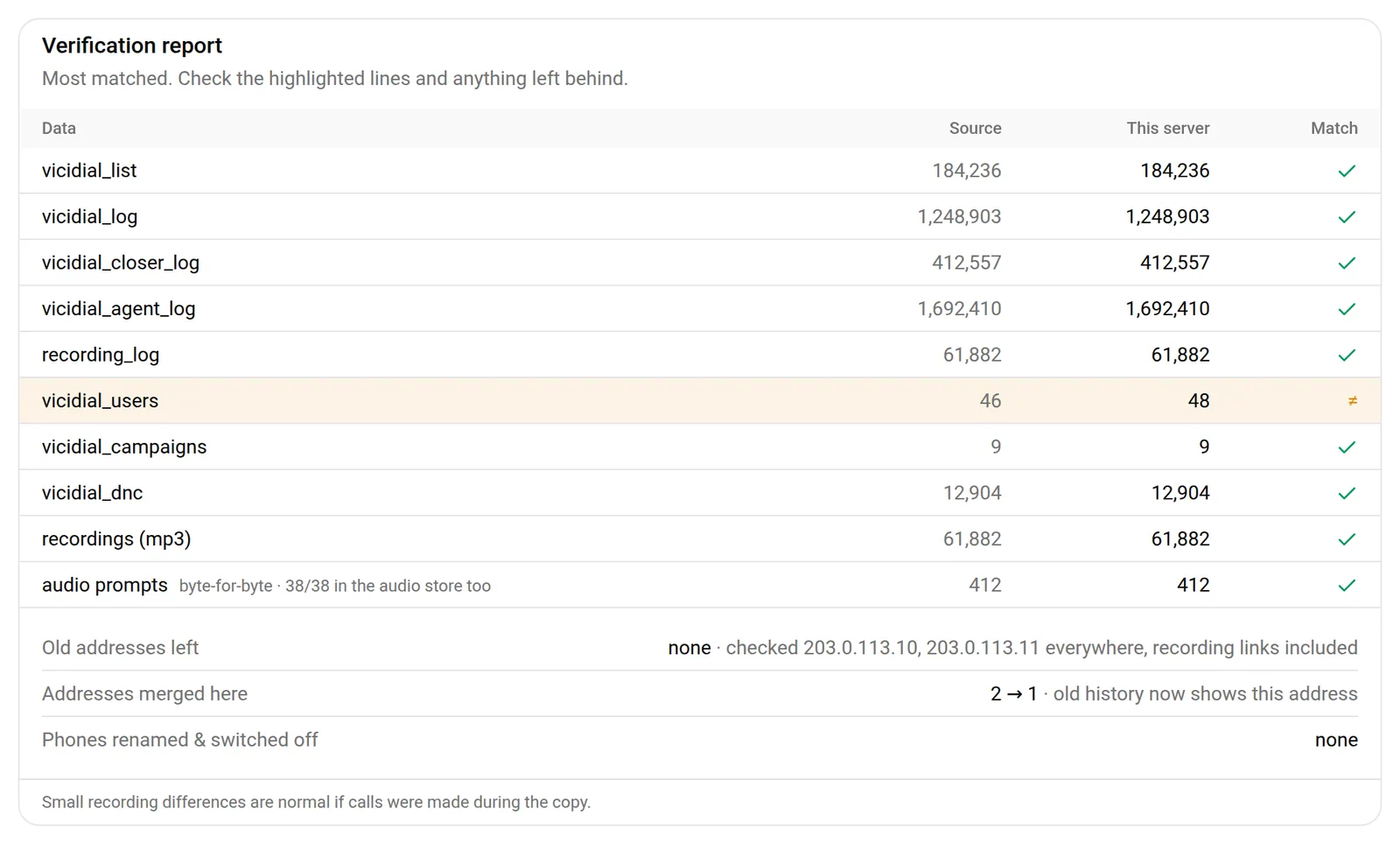
Compare each table on both servers. In the console every table gets a line with both counts and a mark that says whether they agree. Recordings and prompts follow, and prompts are checked one file against the other.
Expect the users row to differ by a few: the new server keeps its own service logins in place of any with the same names from the old server. Any other row that differs needs a look before you cut over.
It also searches the new server for the old addresses. A phone, a number or a recording link that still names the old address will fail in ways that are hard to trace later, so this line should read none.
10. Set up your carriers again
Our move does not copy carriers. In VICIdial a carrier entry is tied to one server's address, and VICIdial writes it into that server's phone system only. A carrier copied from another server would be ignored until its address was changed. Add each carrier on the new server. Adding a carrier in the console has the steps.
Then tell each carrier about the new address. A carrier that accepts your calls by IP address must allow the new one, or it will not take your calls.
11. Point your numbers at the new server
Your inbound numbers are copied with their routing. Calls still arrive wherever the carrier sends them, and nothing in VICIdial tells the carrier where that is. Ask the carrier to send each number to the new server's address, and place a test call to each one.
12. Move the phones
Each agent phone registers to a server address. VICIdial's own web phone reads that address from the database, so it follows the move. A softphone or desk phone that someone set up by hand must be pointed at the new server's address. Agents also sign in at the new server's web address.
After a cluster move, look for extensions that existed on two servers. Only one copy stays active, and the report names the others. Decide which agents need a new extension.
13. Check the settings that did not come across
The new server keeps its own system settings. Anything you changed there on the old server, such as a default or a feature switch, needs a look on the new one. Conf templates, the configuration snippets that phones and carriers pick by name, also stay as the new server has them.
14. Make a test call each way
Log one agent in. Dial one outbound call through each carrier. Call one inbound number. Play one old recording from a report. A recording's link holds a full web address, so an old recording plays only if that address was rewritten or the old server still serves it. Our move copies and relinks recordings stored as MP3 files. Each of these exercises a different part of what moved.
15. Keep the old server for a while
Apart from STOP, a move only reads the old server's data, so it still has everything. Keep it until the counts match, the test calls work and a full shift has run on the new server. If recordings were left behind, they can be copied later.
Next steps
- Migrate a VICIdial server in four steps, with pictures of each screen.
- The tables a move copies, and the ones it must not.
- What a VICIdial backup must keep.
- Order a destination server. It is free for the first 7 days.
VICIdial is a trademark of its owner. Trustane is an independent hosting provider.
Sources
- The tables a move never copies
- The checks before a move starts, and the order of its stages
- What can be left behind and what that costs
- The review, progress and check screens
- Stopping the floor on the old server
- VICIdial behaviour checked line by line, 16 November 2026
Managed VICIdial hosting