VICIdial on DigitalOcean: what we measured and what broke
A VICIdial image built and cloned on DigitalOcean. Five assumptions that failed in the create and snapshot steps, the network defaults, and an 84 second resize.
To the point
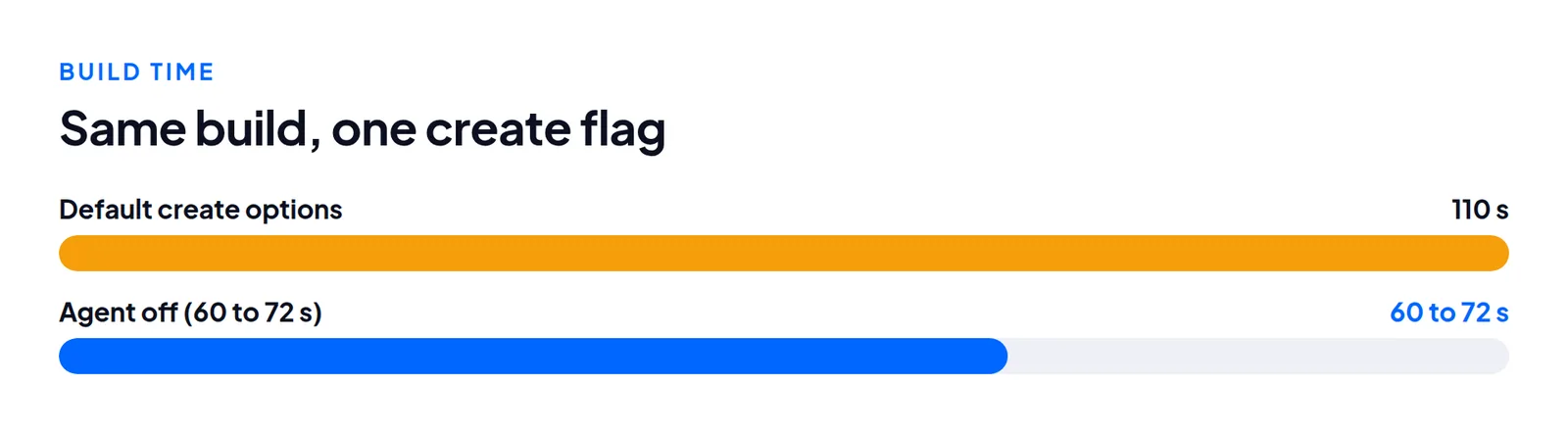
In October 2026 we ran our VICIdial image build on a DigitalOcean account. The install logic worked unchanged. Five things in the provider steps broke. After the fixes a Droplet came up from a prepared image in 60 to 72 seconds.
- One flag,
with_droplet_agent: false, saved 40 to 50 seconds (110 s down to 60 to 72 s). - Register the SSH key on the account, or root's password expires and is emailed to the owner.
- A resize from
s-2vcpu-4gbtos-4vcpu-8gbtook 84 seconds, and nothing retuned itself. - This is one account on one day, not a review of DigitalOcean.
What worked with no change
The install script took 17 minutes on a c-2 CPU-Optimized Droplet, with no swap. The re-identification script (it gives a cloned server its own address and secrets) and the clean-up that removes template traces ran as written. The public address sits directly on eth0 with no NAT, so the address rewrite needed no special case. Other build timings are in our build times article.
The five things that broke
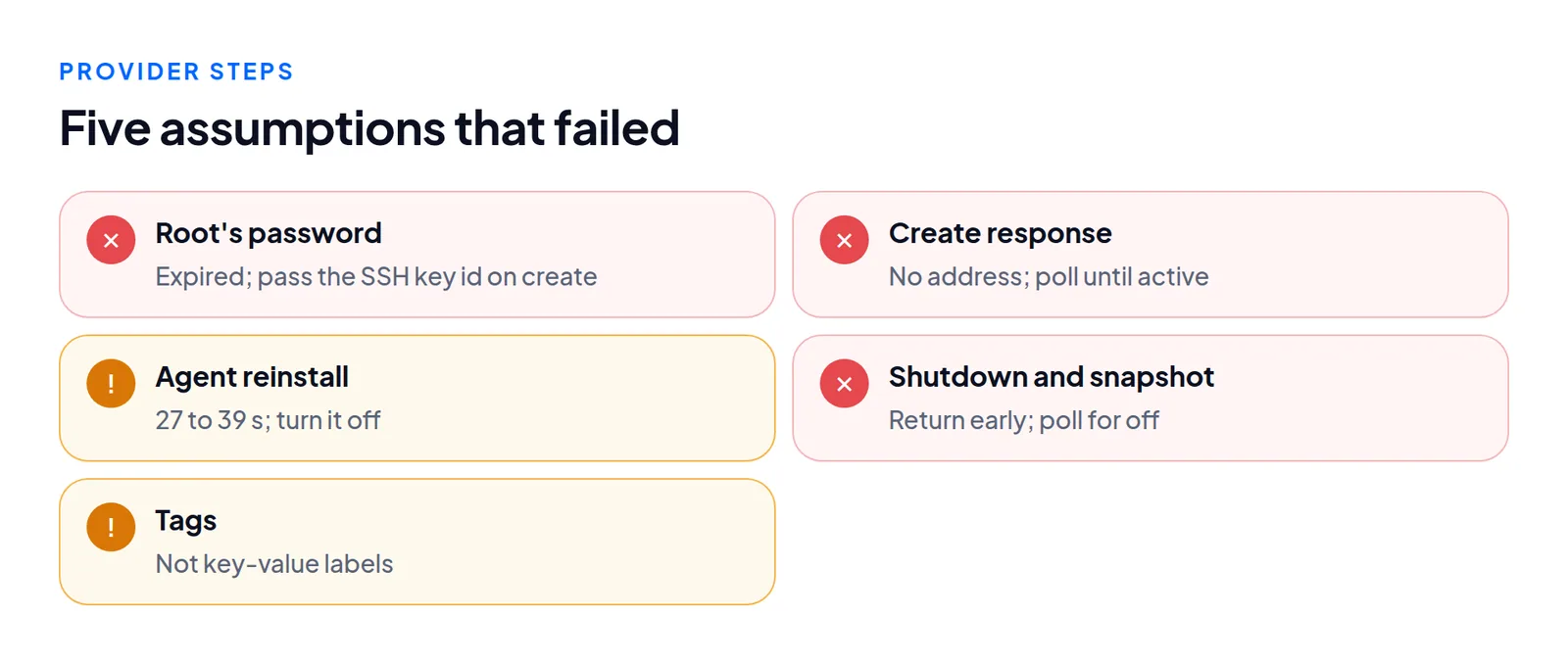
1. Root's password expired. We passed the SSH key in user-data only. DigitalOcean installed the key but also expired root's password, and every SSH attempt failed with "Password change required but no TTY". That happened on stock images and our snapshot alike. Register the key on the account and send ssh_keys: [id] in the create call.
2. The create response has no address. networks is empty. Poll until the status is active, which took 24 to 48 seconds. DNS, the first SSH attempt and the certificate all start that much later.
3. The agent reinstall slows boot. cloud-init status --wait waits for DigitalOcean's monitoring agent to reinstall, 27 to 39 seconds. Creating with with_droplet_agent: false removes it.
4. Shutdown and snapshot calls return early. The shutdown action reports complete while the status is still active. Poll until it is off. The snapshot action does not return the image id, so read it from the Droplet's snapshots list. If you treat action completion as "ready", you will snapshot a running machine. A snapshot took about 50 seconds. Copying it to another region took about 10 minutes per region, and several ran at once without trouble.
5. Tags, not labels. DigitalOcean has bare tags, and you tag an image in a separate call. Tooling that finds templates by key-value labels needs a mapping layer.
The network, for a dialer
Before you point a carrier at a new Droplet:
- No firewall by default, and
ufwwas masked. - UDP 5060 and 10000 to 30000 reached the server from outside, and SIP out worked.
- TCP 25, 465 and 587 were blocked. 2525 was open.
eth0had a public /20 and an anchor address in a 10.x range.eth1was the VPC.- No reverse DNS, even for a fully qualified Droplet name. IPv6 was opt-in.
Resize
We resized from Basic s-2vcpu-4gb to s-4vcpu-8gb with the option that keeps the disk size (disk: false, the reversible form).
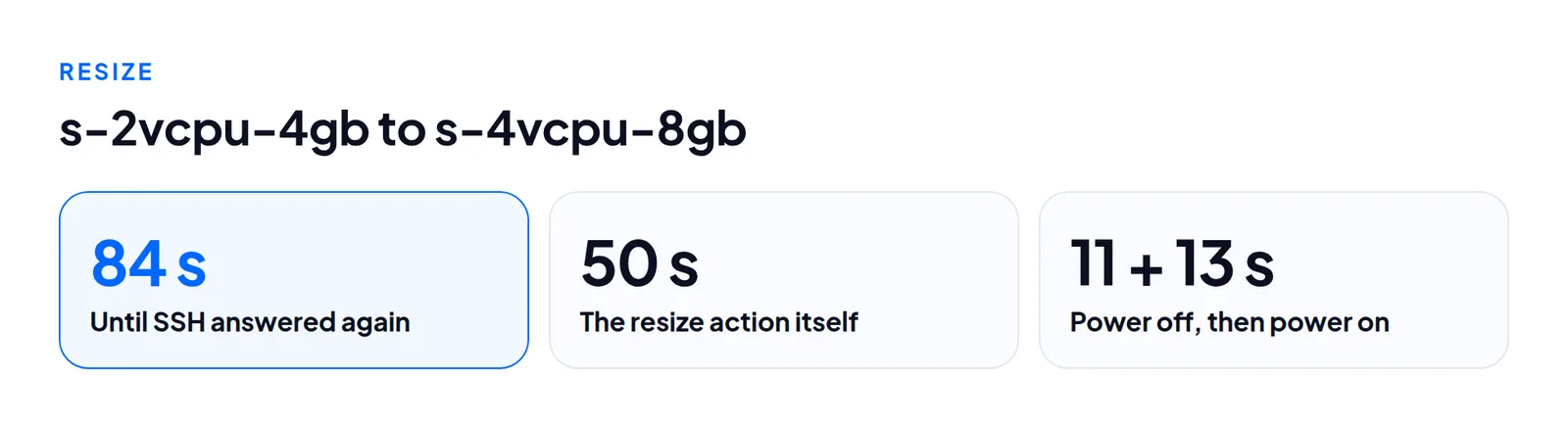
The address, data, hostname and SSH port survived. Nothing retuned: MySQL's key_buffer and InnoDB settings, PHP's memory_limit and Apache's MaxRequestWorkers all stayed at the smaller size's values. In our setup the tuning lives in the re-identify script, and re-running it after a resize is the plan. See lines per agent.
Sizes and regions
The account we tested was offered 80 sizes.
| Family | Example | Notes |
|---|---|---|
| Basic | s-2vcpu-4gb $24 (80 GB), s-4vcpu-8gb $48 | Basic Intel $28 to $64 |
| CPU-Optimized | c-2 $42 (25 GB disk), c-4 $84 | smallest disk, so bake on it |
Not offered: premium AMD, any 8-vCPU size, Basic with 16 GB. Basic was in ams3, blr1, fra1, lon1, sfo2, sgp1, syd1 and tor1 (Intel also nyc2 and sfo3). CPU-Optimized was in lon1, nyc1, sfo2 and sfo3 only, and only sfo2 and lon1 had both.
Prices change and the list depends on the account. Trust sizes[].regions. The regions[].sizes field listed 165 slugs the account could not use. An image restores to any disk at least as large as its source, so we bake on 25 GB and every size can use it.
What we would do again
Register the SSH key and pass its id on every create. Poll for the state you need (active, then off) instead of trusting an action. Bake on the smallest disk.
Not measured
Real certificate issuance on a Droplet, our full verification script, a reboot test and live calls. We also did not check whether a snapshot copied into three regions is billed once or three times.
Questions people ask
Why bake on the 25 GB disk?
An image can be restored to any disk at least as large as the one it came from. A 25 GB image fits every size.
Does a resize retune MySQL and Apache?
No. They kept the smaller size's values, so re-run the tuning step after a resize.
Next steps
The platform runs a dialer. Whether it suits you depends on where your agents are, because the route to your office decides call quality more than the Droplet size. See where to host VICIdial. For a server in a given region without doing this build yourself, see VICIdial hosting or contact us.
VICIdial is a trademark of its owner. Trustane is an independent hosting provider.
Sources
- DigitalOcean documentation, how to create Droplets
- DigitalOcean documentation, how to resize Droplets
- Migration ground truth, tuning and addresses a rebuilt server must re-derive
- Cover photo by Christina Morillo on Pexels
Managed VICIdial hosting