WebRTC phones on ViciBox 12: the SIP and PJSIP traps
ViciBox 12 runs chan_sip and PJSIP side by side. Which stack a browser phone lives in, which template to pick, and the checks that show where it went wrong.

To the point
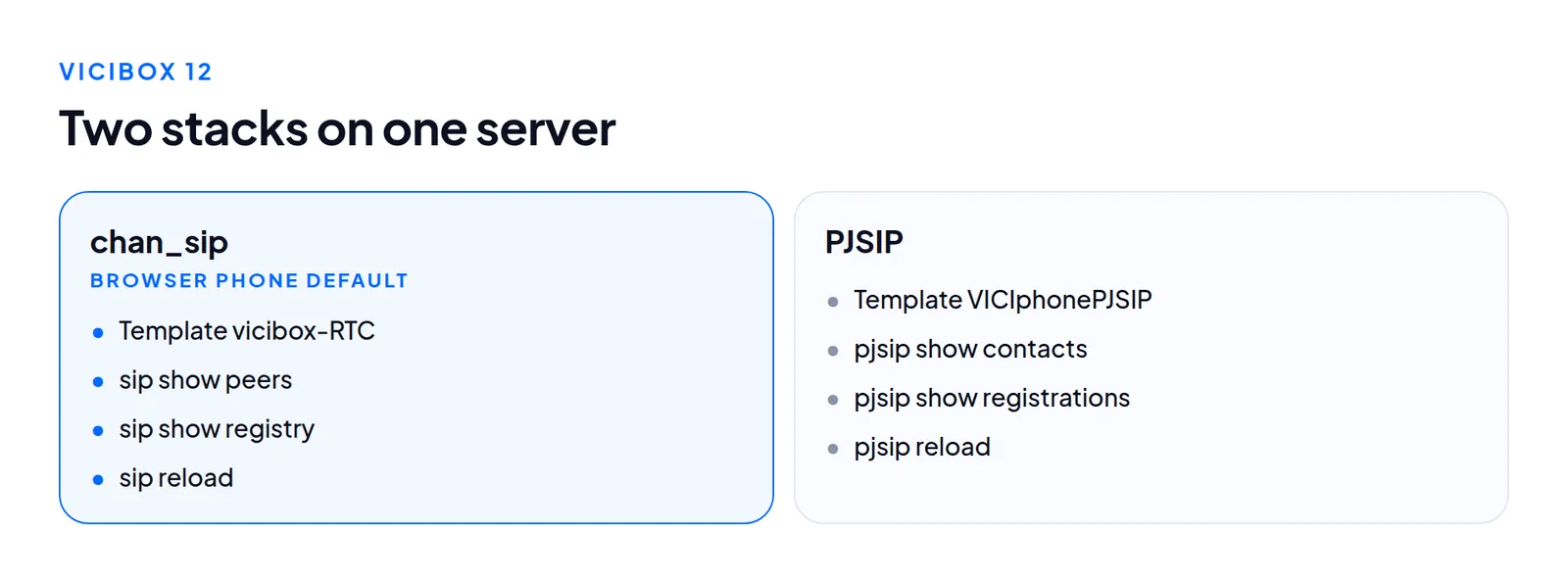
On ViciBox 12 a browser phone is a chan_sip peer by default, built from the template vicibox-RTC, even though the server also runs PJSIP. Most "the phone registers but I cannot see it" problems are a search in the wrong stack.
- Check both:
sip show peersandpjsip show contacts. An agent missing from one may be in the other. - Reload both after a change:
sip reloadandpjsip reload. - Templates on the build we read:
vicibox-RTC,VICIphonePJSIP,VICIphoneSIP,SIP_generic,IAX_generic. There is no template calledWebRTC. - A browser phone also needs a valid certificate name, a reachable WebSocket and microphone permission.
Two stacks on one server
The box runs chan_sip and res_pjsip. They are separate drivers with separate config files, CLI commands and registration lists. A phone made in the admin has a protocol field. The default, SIP, writes a chan_sip peer. The PJSIP choice with a PJSIP template writes PJSIP objects.
| Question | chan_sip | PJSIP |
|---|---|---|
| Who is registered? | sip show peers | pjsip show contacts |
| What is configured? | sip show peers | pjsip show endpoints |
| Do carrier registrations work? | sip show registry | pjsip show registrations |
| Reload | sip reload | pjsip reload |
Run them as asterisk -rx "<command>". After a change, sip reload does nothing for a PJSIP phone and the reverse. Reloading one stack can make a good fix look bad.
The templates the server has
The phone template list on the ViciBox 12 server we read held five names. Check by name in the admin templates screen before you trust any name from a blog post, ours included.
vicibox-RTC: a chan_sip entry of typefriendset up for WebRTC. It is what the standard installation script uses, and the one to pick for a browser phone on a stock ViciBox 12.VICIphoneSIP: a plain chan_sip desk or soft phone.VICIphonePJSIP: the PJSIP equivalent. We did not test it with a browser phone on this build.SIP_genericandIAX_generic: hardware phones and other uses.
A phone whose protocol and template disagree (chan_sip with a PJSIP template, or the reverse) shows in the admin but no stack registers it.
What a browser phone needs
A desk phone needs less. A browser phone has four things that can fail alone. The certificate and listener notes below are general Asterisk and browser knowledge, not our measurements.
A name on a valid certificate. Browsers open the microphone only on HTTPS, and WebRTC needs a secure WebSocket (wss). A raw IP cannot carry a normal public certificate. A self-signed one makes the browser refuse or warn, and accepting it for the page may not carry over to the WebSocket port. The usual symptom is a phone that never registers while the page loads fine.
Check that the name resolves to the server, the certificate is valid and unexpired for that name, and the WebSocket address in VICIdial uses the same name.

- Web Socket URL: the
wssaddress of this server. Its host name must match the certificate. - External Web Socket URL: the address used when agents reach the server from outside.
The Asterisk HTTP listener. http show status shows whether it is listening and on which port. We believe a standard ViciBox build uses 8089. Read it from your server and make sure the firewall lets agents reach it. A port open for the web page and closed for this one gives the same "never registers" symptom.
Media through the firewall. WebRTC audio is encrypted RTP. Behind a corporate firewall, calls can connect with no audio one way. We did not measure NAT traversal on the template. If only some agents have one-way audio, suspect their network first. See lagged agents.
The microphone. The browser asks once per site. An agent who clicked Block cannot talk, and nothing on the server shows it. The setting is in the browser's site settings.
A diagnosis order that saves time
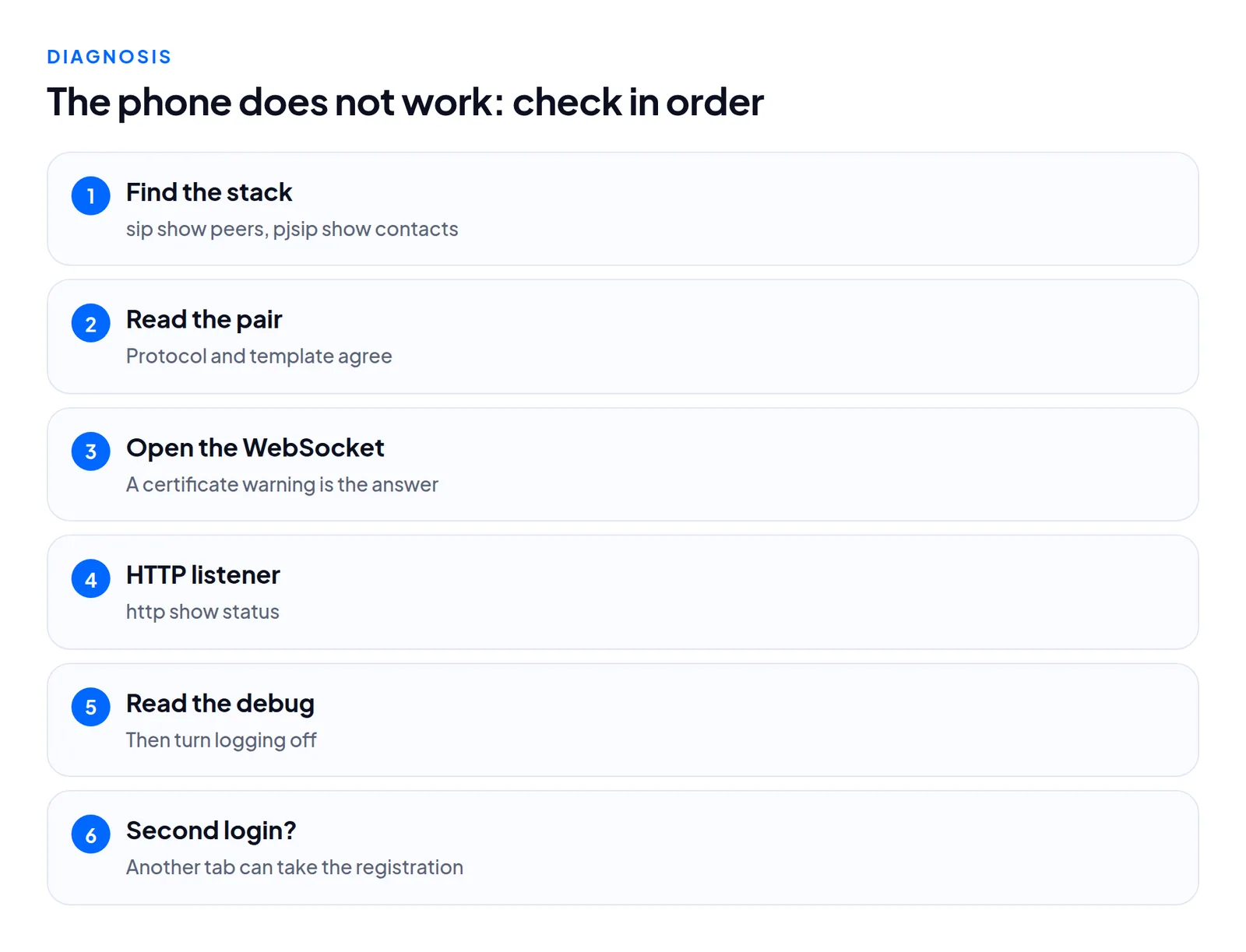
- Run
sip show peersandpjsip show contactsand search for the extension. Found in one means you know the stack. - Read the protocol and template as a pair in the admin.
- Open the WebSocket address in a browser from the agent's machine. A certificate warning here is the answer.
- Run
http show status. - Use
sip set debug peer <name>orpjsip set logger on, ask the agent to log in again, then turn logging off. Both are verbose. - Look for a second browser tab with the same login, which can take the registration.
Most cases we have seen end at step 1 or 3.
Carriers follow the same split
A chan_sip carrier and a PJSIP carrier are different objects. In the carrier log's channel column, a PJSIP call shows as PJSIP/ plus the endpoint name, a more reliable record than a description field. For setup see a PJSIP carrier on Asterisk 22.
What we did not test
Voice quality of chan_sip against PJSIP browser phones, Opus against G.711 on the browser leg, and builds other than the one ViciBox 12 build we read. If your template list differs, trust your server.
Questions people ask
Why can I not see my agent in sip show peers?
The phone may be a PJSIP phone. Run pjsip show contacts as well. The two stacks keep separate lists.
Which template should I pick for a browser phone?
On a stock ViciBox 12, vicibox-RTC. It is a chan_sip entry made for WebRTC.
Next steps
Note which stack your agents are in, confirm one host name, one certificate and one WebSocket address that agree, and always reload both stacks. We build the browser phone path on the servers we host, see VICIdial hosting and pricing. If a phone will not register, contact us.
VICIdial is a trademark of its owner. Trustane is an independent hosting provider.
Sources
- Carrier attribution findings, PJSIP channel names in the call logs
- Asterisk project documentation, PJSIP configuration
- Cover photo by Mikhail Nilov on Pexels
Managed VICIdial hosting