Watching several VICIdial servers at once
What VICIdial shows when you run more than one server, as a cluster or as separate installs, and how Trustane's all-servers wall fits them on one screen.

To the point
VICIdial runs on more than one server in two ways. In a cluster, several servers share one system, and its real-time report covers all of them. Separate installs are separate systems, each with a report of its own. Trustane's all-servers wall reads each of your servers on its own and puts them on one screen, the one that needs you first at the front.
- VICIdial's real-time report describes itself as "live real-time stats for the VICIDIAL Auto-Dialer all servers".
- SHOW SERVER INFO adds each agent's SERVER IP and CALL SERVER IP to the report.
- Between two separate systems, the manual's Cross-Cluster Communication transfers a call and copies its lead, not a report.
- On our wall, each server gets a tile with its people, its calls today and its own clock. A server still being built says "It joins the wall once it is built."
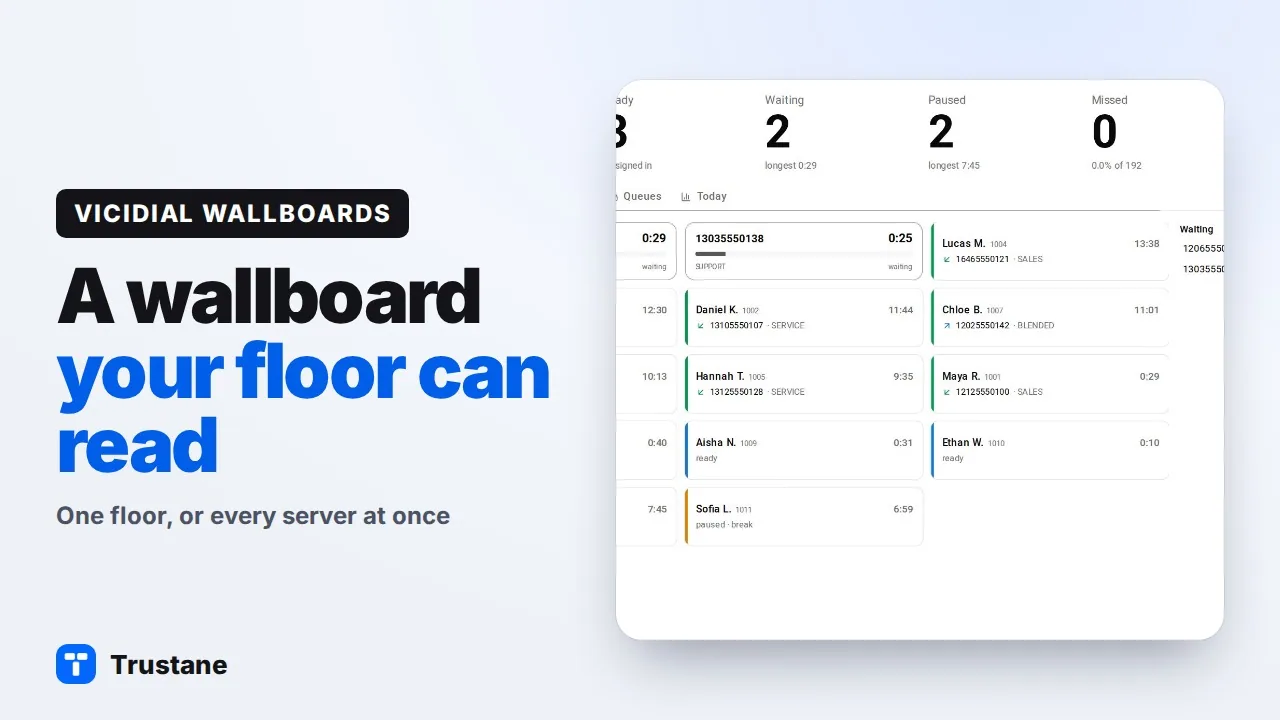
Plays from YouTube when you press Play. Google's privacy policy applies.
Two ways to run more than one server
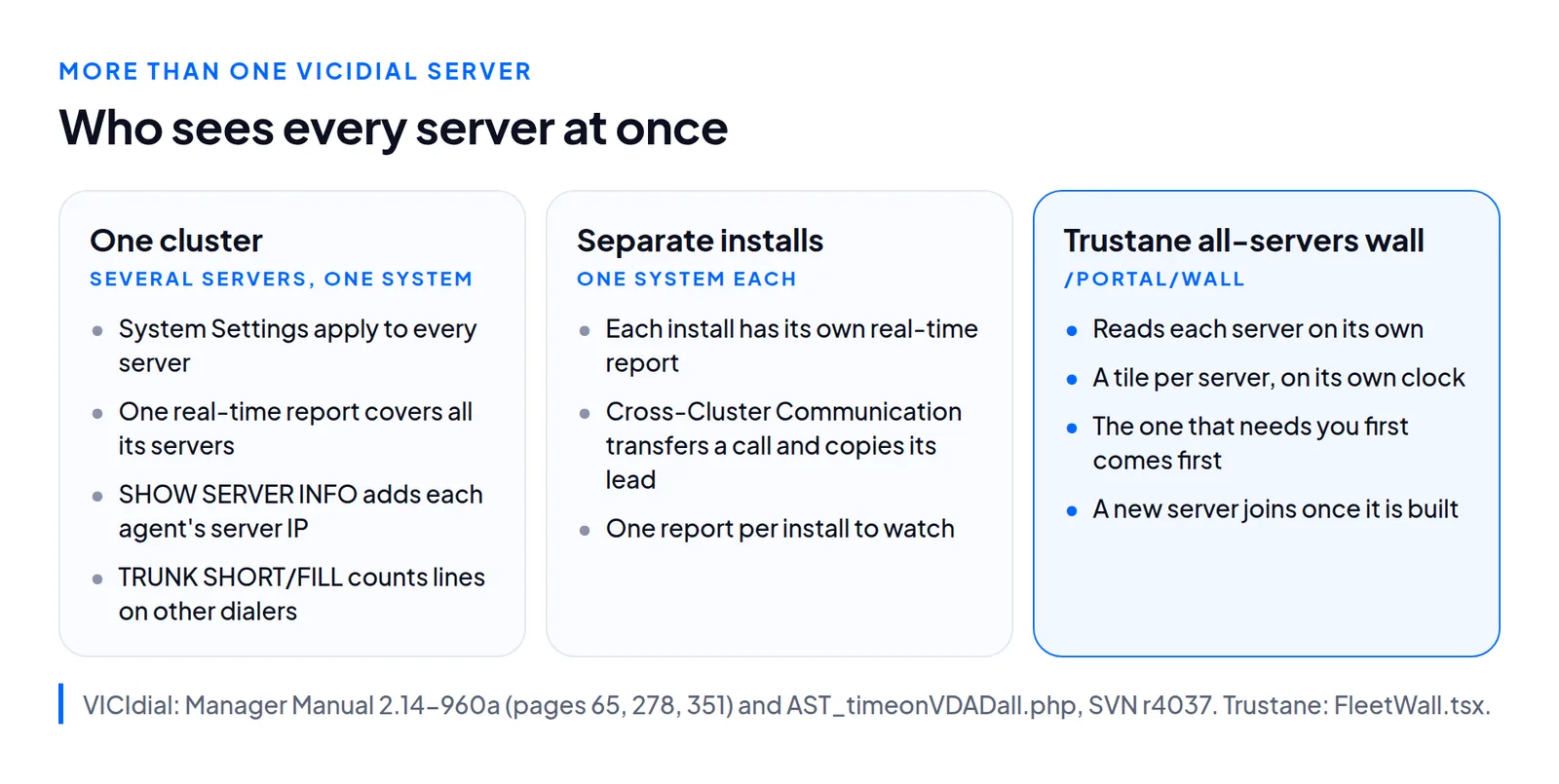
A cluster: several servers, one system
VICIdial's manager manual (2.14-960a) calls servers that work together a cluster. Its System Settings are global: they apply to every VICIdial server on the system, and to every agent and campaign (page 278). A few features exist only because a cluster has more than one dialer:
- Phone Aliases. An agent's phone is registered to several dialers. When the agent logs in, the system picks the server with the fewest agents logged in (page 260).
- Balance Dialing. A server set to Y places balance calls for campaigns across the cluster's dialers, so a campaign's dial level can be met even when none of its agents are logged in to that server (page 269).
- Server Versions. One admin page lists every server with its name, IP address, load, channels, disk space, time and whether it is active (page 448).
Separate installs: one system each
Two installs that share nothing are two systems. The manual has one section on linking two systems, Cross-Cluster Communication (pages 65 and 66). An agent on the first system transfers a call over an IAX trunk to the second. There, a call menu runs a script that looks the lead up through the first system's Non-Agent API and adds it to the second system's own lists. Both systems need svn/trunk revision 2801 or newer. It transfers one call and copies its lead from one system to the other.
What VICIdial's real-time report covers
VICIdial's real-time report, which the manual also calls Time On VDAD, is the file AST_timeonVDADall.php. The newer realtime_report.php is the same report rewritten to use AJAX and JavaScript instead of links, and it still fetches its figures from AST_timeonVDADall.php. The file's own header calls it "live real-time stats for the VICIDIAL Auto-Dialer all servers", and a change logged in 2005 reads "Modified layout and info to show all servers in a vicidial system". In a cluster, that means one page for every server:
- Refresh. Every 40 seconds by default. Choose Report Display Options changes it (manual, page 350).
- Narrowing. Select Campaigns and Select User Groups narrow the page. With several picked, its figures are combined totals or averages, depending on the figure (page 351).
- Lines across dialers. In TRUNK SHORT/FILL, SHORT counts calls the dialer cannot place because the servers dialing the campaign lack free lines, and FILL counts lines on other dialers used to make up the shortfall (page 351).
- Every campaign. The All Campaigns Summary puts the top block of every active campaign on one page, without agents or calls (page 353).
Each copy of the report connects to the database named in its own install's settings (or that system's read-only copy, if one is set up). With separate installs, that is one report per install, each open in its own tab. What every column on the report means is in the real-time report, column by column.
Trustane's all-servers wall
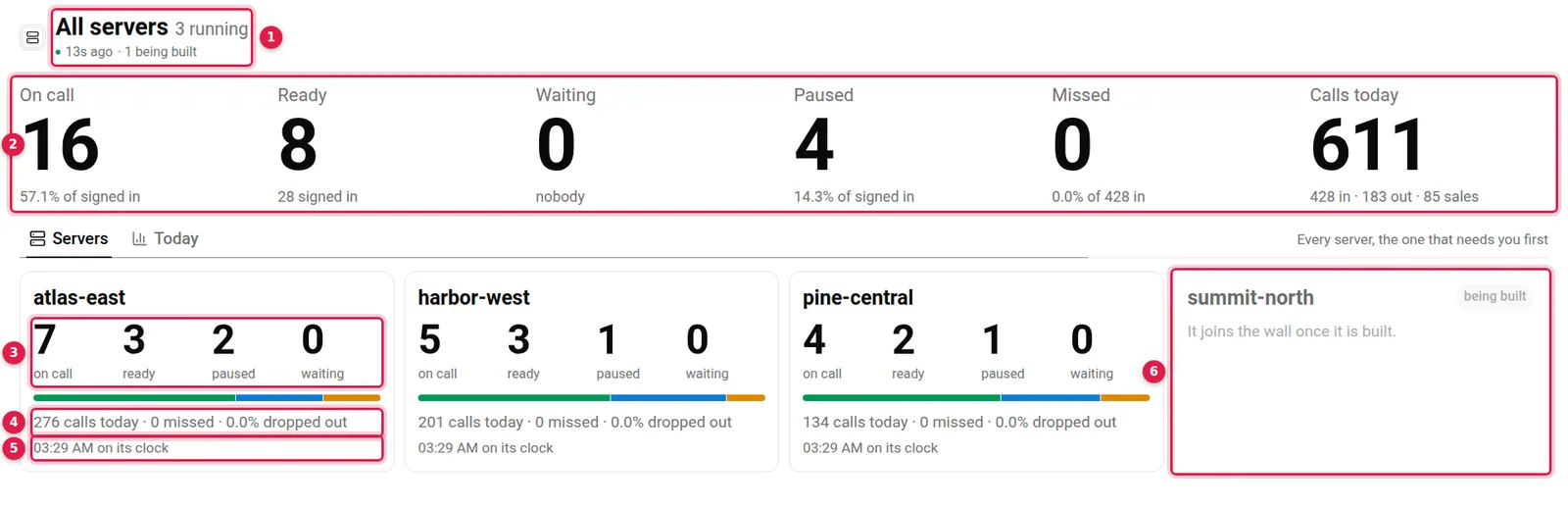
- The header: "All servers", how many are running, how old the reading is, and how many are stopped or being built.
- The totals over every server: On call, Ready, Waiting, Paused, Missed and Calls today. When no calls come in anywhere, Drops out takes Missed's place.
- A server's people: on call, ready, paused and waiting, over a bar that splits them by state.
- Its day: calls today and, where they apply, missed calls and the share that dropped out.
- Its clock: the time on that server, "on its clock".
- A server being built: "It joins the wall once it is built."
Open it with Wallboard on Home, or at the top of the Servers page. It lists every VICIdial server on your account, stopped ones and ones still being built included, and says which they are.
The one that needs you first
Tiles are sorted by what should get somebody out of their chair, and a chip on each says why:
- A server that did not answer: "not answering".
- Callers waiting, with how many.
- An outbound drop rate over 3%, once it has 20 answered calls: "dropping" with the rate.
- People the server cannot see: "not reporting", with how many.
- Then the working servers, the quiet ones, any not read yet, and last those stopped or being built.
Within a group, the server with more agents comes first, then the names in order.
Each server read on its own
The wall asks each running server for its figures separately and draws each tile as its answer lands, so one slow server does not hold up the others. It asks again every 30 seconds, and reads your list of servers again each time, so a server that finishes building while the wall is up joins it.
A server that does not answer is sorted to the front with "No figures until it answers." Once its last good reading is more than 90 seconds old, its tile says how long ago that was. Every tile keeps its own server's time, read with its figures and counted forward between reads, so two servers in different time zones each show their own. Why that matters to VICIdial is in VICIdial time zones.
Screens, keys and a server's own pages
Under the totals, three screens take turns: Servers ("Every server, the one that needs you first"), Needs a person ("What to fix, on any server"), shown only while something needs one, and Today ("Since midnight, on each server’s own clock"). They follow the single-server wall's rules: 20 seconds a screen, a touch holds it for two minutes, Space holds it until pressed again, and nothing moves while a menu is open. The arrows, Space and F work as they do there. Esc goes back to Home.
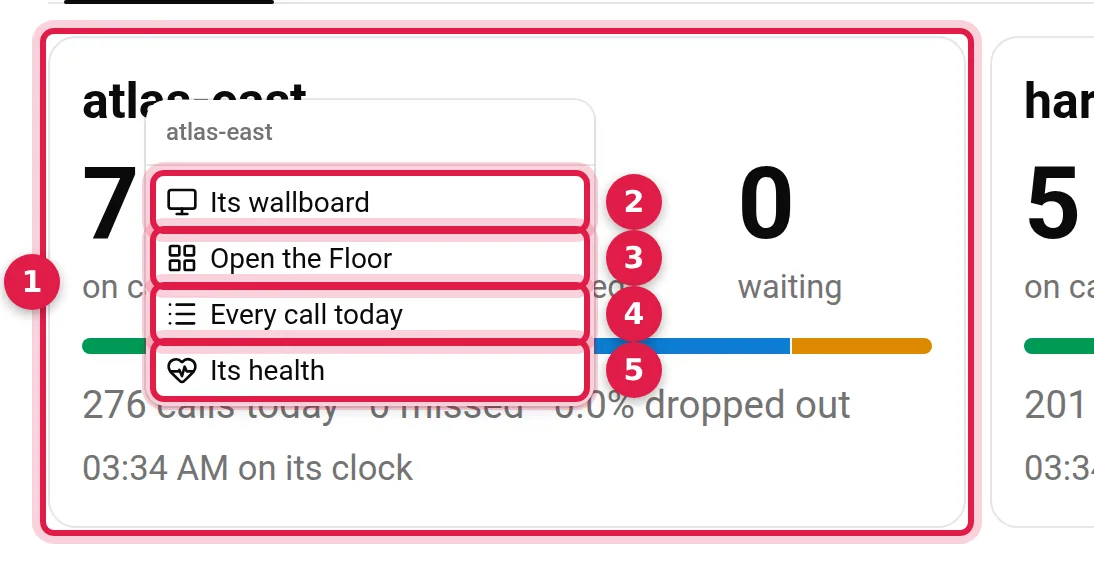
- The tile: click it to open that server's own wallboard.
- Its wallboard
- Open the Floor
- Every call today
- Its health
How one server's wall works, figure by figure, is in A VICIdial wallboard your floor can read.
Questions people ask
Does the all-servers wall need a VICIdial cluster?
No. It reads every server on your account on its own, and each gets its own tile.
Which servers appear on the wall?
Every VICIdial server on your account. A stopped server says it is not running, and one still being built says it joins once it is built.
Why do the tiles show different times?
Each tile shows its own server's clock, and the Today screen counts from midnight on each server's own clock.
Next steps
Open Home, press Wallboard, then F for a TV. If you run a server elsewhere, read about connecting an existing VICIdial server. For servers, see VICIdial hosting and pricing, and for the rest of VICIdial, the complete guide.
VICIdial is a trademark of its owner.
Sources
- VICIdial real-time report AST_timeonVDADall.php, SVN r4037
- VICIdial realtime_report.php, SVN r4037
- VICIdial Manager Manual 2.14-960a
- Trustane console, the all-servers wall
- Trustane console, the all-servers wall's reader
Managed VICIdial hosting